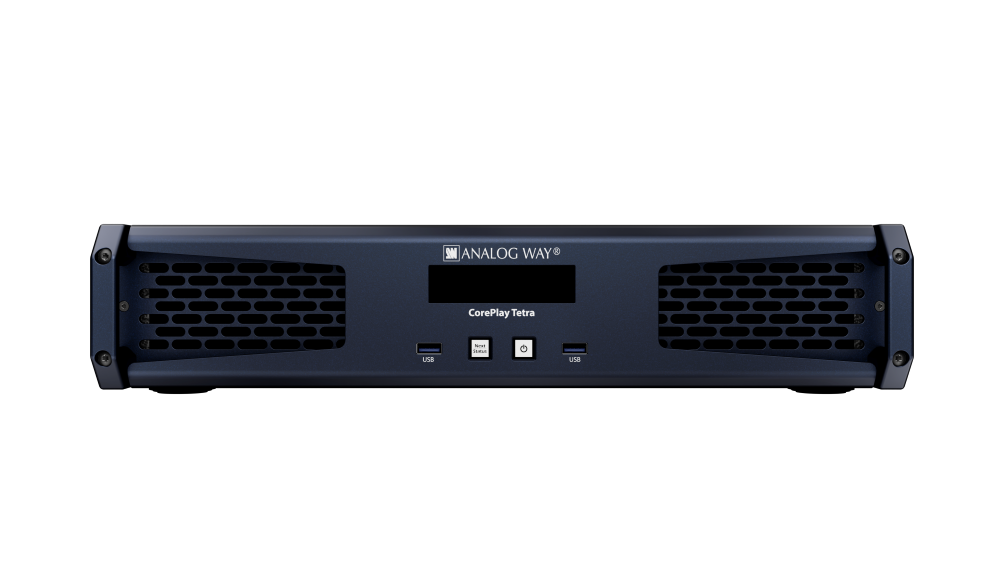
CorePlay Solo
Media Player

Heavy-duty 4K media player for live-operated applications

Button Text

AW LivePremier Simulator

AW LivePremier Simulator

LPSIM
No items found.

AW LivePremier™ Simulator allows you to simulate any LivePremier™ series multi-screen presentation system on your PC or your Mac. You can launch the integrated Web-based graphic user interface (Web RCS), interact with the virtual device to design and prepare a show on the road as you would do with a real device. You can then export the show to a USB drive and import it straight into your Aquilon image processor.

Technical Specifications
No items found.
AW LivePremier™ Simulator
Key Features
Main Accessories
Customer Stories
Downloads
Videos
Related Products
GET IN TOUCH
Key Features

Extremely
USer-Friendly

The CorePlay RCS software provides an intuitive and powerful user interface to configure and control Analog Way CorePlay products. CorePlay Solo offers a REST API over Ethernet for easy integration with third-party control systems. It is also compatible with remote control solutions such as Stream Deck Companion, and natively supports Stream Deck directly connected to the unit. Designed for efficient operation in both standalone and networked environments, CorePlay RCS enables flexible and responsive control across a wide range of applications.

Button Text
Key Features

THE PERFECT COMPANION FOR PRESENTATION SWITCHERS

4K@60Hz 10-bit output and high playback performance make CorePlay Solo a reliable and versatile video playback solution for live events. System performance is predictable and well documented, making it easy for operators to work with and communicate media specifications.​

Playback quality is consistent, with direct support for most common media formats, and preview operations do not disrupt program outputs.​

Button Text
Key Features

Built for live events and rental staging applications

It’s the small details in CorePlay that make life easier in live events and rental staging applications. With a complete hardware solution, there’s no risk of operating system updates disrupting a show — Analog Way manages the platform, so CorePlay will just work.

​Turnaround time in the shop is minimised with fast, simple and secure procedures to reset units to factory defaults and optionally wipe media storage. The integrated 1TB SSD provides fast and reliable local media storage, supporting efficient content deployment between shows. This helps prevent content from one customer being carried over to the next.

Button Text
Key Features

Rock-solid reliability

CorePlay Solo is designed to deliver a reliable hardware platform for video playback in demanding environments. It is specifically engineered to withstand live event conditions while ensuring long-term durability for fixed installations. Powered by a Linux engine known for its stability and reliability, CorePlay Solo delivers consistent performance, even in the toughest conditions.

Button Text
overview

Collapse All
Expand All
Thank you! Your submission has been received!
Oops! Something went wrong while submitting the form.
No items found.
want to dive deeper
Download Datasheet
No items found.
Customer stories
Customer stories
Customer stories
Customer stories
No items found.

Key Features

  • Simulate the LivePremier™ series of multi-screen presentation system in standalone or link mode (up to 4 linked devices), from Aquilon RS alpha to Aquilon Cmax (no ‘real’ device needed)
  • Easily select and configure the device you want to simulate using the configurator included
  • Use the integrated Web RCS for self-training or to start working on a customer configuration offline
  • Save your work at the end of simulation session and seamlessly resume it the next time
  • Export the show you have prepared with AW LivePremier™ Simulator and import it straight into your Aquilon
  • Test the REST API, the Crestron driver, the RC400T controller as well as 3rd party controllers

AW LivePremier™ Simulator

AW LivePremier™ Simulator

AW LivePremier™ Simulator

AW LivePremier™ Simulator