CorePlay Solo
Media Player

Heavy-duty 4K media player for live-operated applications

Button Text

CorePlay Tetra

CorePlay Tetra

CorePlay Tetra
Key Features
Main Accessories
Customer Stories
Downloads
Videos
Related Products
GET IN TOUCH
CPT04-R1
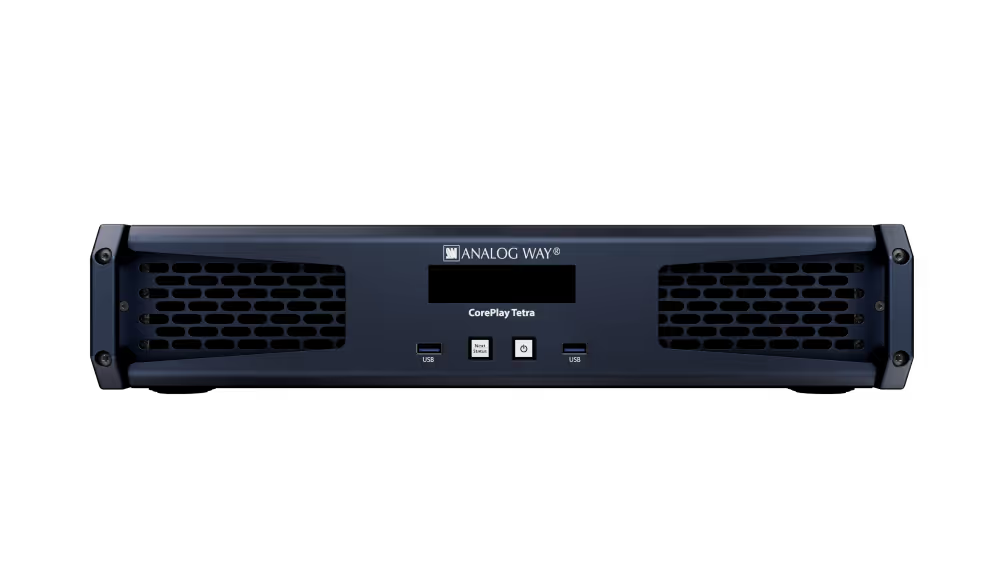
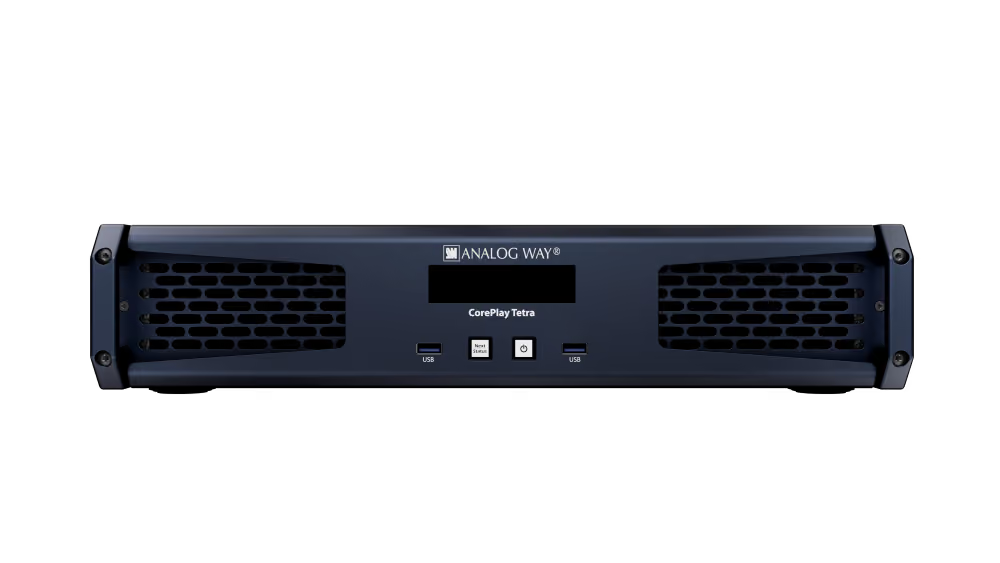
[CorePlay Tetra] Front View
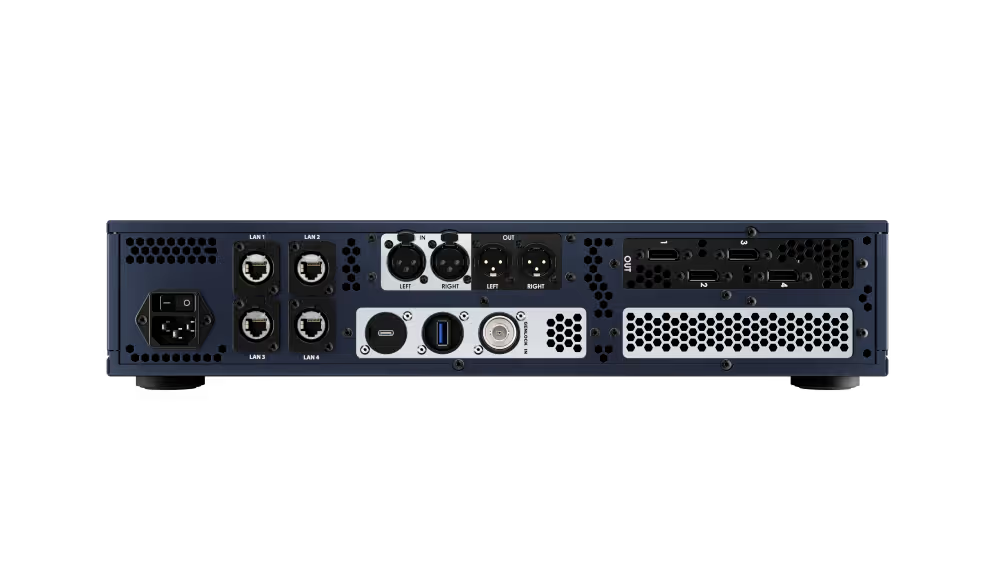
[CorePlay Tetra] Back View
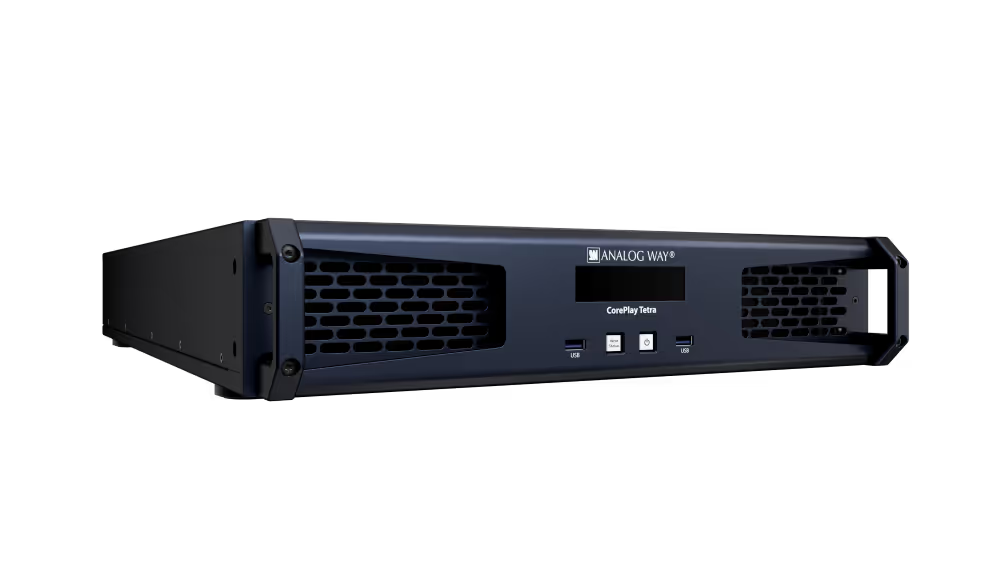
[CorePlay Tetra] 3/4 View
AV Technology Best of Show 2026 Award
Quad-output media playback engine

CorePlay Tetra is a quad-output media playback engine for rental & staging, live events and live-like installations. Built on the GPU-based CorePlay media server platform, it combines native playback without re- encoding, flexible content mapping and reliable, purpose-built hardware in a 2RU system. Tetra works alongside your favorite Analog Way video processing switchers, using familiar Preview / Program / TAKE controls. It offers greater flexibility, performance, and reliability than conventional media players, with simpler operation and a lower cost than flagship media servers.

Technical Specifications
4
DisplayPort 1.4a outputs
Up to 16
Independent Players
32
Viewports
Synchronised
Outputs*
Native
codec playback
10-Bit
video output
2TB
NVMe media storage
32-channel
Dante audio
2 x 10GbE
Pus 2 x 1GbE
2
LTC inputs
Locking IEC
Power connector
2U
Rackmount chassis
* Output synchronization requires matching display configurations.
Key Features

Extremely
USer-Friendly

The CorePlay RCS software provides an intuitive and powerful user interface to configure and control Analog Way CorePlay products. CorePlay Solo offers a REST API over Ethernet for easy integration with third-party control systems. It is also compatible with remote control solutions such as Stream Deck Companion, and natively supports Stream Deck directly connected to the unit. Designed for efficient operation in both standalone and networked environments, CorePlay RCS enables flexible and responsive control across a wide range of applications.

Button Text
Key Benefits

Maximized return on investment

Key Features

Extremely
USer-Friendly

The CorePlay RCS software provides an intuitive and powerful user interface to configure and control Analog Way CorePlay products. CorePlay Solo offers a REST API over Ethernet for easy integration with third-party control systems. It is also compatible with remote control solutions such as Stream Deck Companion, and natively supports Stream Deck directly connected to the unit. Designed for efficient operation in both standalone and networked environments, CorePlay RCS enables flexible and responsive control across a wide range of applications.

Button Text

By consolidating multiple playback requirements into a single server, CorePlay Tetra increases equipment utilization and reduces operational costs. Rental companies and production providers can support a wider range of projects with fewer systems, improving asset efficiency and accelerating return on investment. The streamlined and intuitive workflows enable professional control from even entry-level operators.

Button Text
Key benefits

Reliable show delivery

Designed specifically for professional live production environments and demanding permanent installations, Tetra delivers dependable performance where failure is not an option. Its purpose-built hardware architecture and rugged chassis, custom Linux operating system and enterprise-grade high-speed storage provide the consistency required for mission-critical applications.

Button Text
Key Features

THE PERFECT COMPANION FOR PRESENTATION SWITCHERS

4K@60Hz 10-bit output and high playback performance make CorePlay Solo a reliable and versatile video playback solution for live events. System performance is predictable and well documented, making it easy for operators to work with and communicate media specifications.​
‍
Playback quality is consistent, with direct support for most common media formats, and preview operations do not disrupt program outputs.​

Button Text
Key Features

Built for live events and rental staging applications

It’s the small details in CorePlay that make life easier in live events and rental staging applications. With a complete hardware solution, there’s no risk of operating system updates disrupting a show — Analog Way manages the platform, so CorePlay will just work.

​Turnaround time in the shop is minimised with fast, simple and secure procedures to reset units to factory defaults and optionally wipe media storage. The integrated 1TB SSD provides fast and reliable local media storage, supporting efficient content deployment between shows. This helps prevent content from one customer being carried over to the next.

Button Text
Key Features

Rock-solid reliability

CorePlay Solo is designed to deliver a reliable hardware platform for video playback in demanding environments. It is specifically engineered to withstand live event conditions while ensuring long-term durability for fixed installations. Powered by a Linux engine known for its stability and reliability, CorePlay Solo delivers consistent performance, even in the toughest conditions.

Button Text
overview

Collapse All
Expand All
Thank you! Your submission has been received!
Oops! Something went wrong while submitting the form.
Four synchronized DisplayPort outputs
  • 4 × DisplayPort 1.4a outputs with 8-bit and 10-bit output.
  • Synchronized outputs with matching display configurations, without requiring external genlock.
  • Independent output resolutions and refresh rates for mixed display systems.

‍

  • EDID import and export to maintain the selected output format.
  • Output rotation in 90° increments.
Players and Viewports
  • Up to 16 independent Players, each with its own canvas resolution.
  • 32 Viewports to select, position and scale content regions independently of physical outputs.
  • Feed Manager routes Player Preview and Program feeds to physical outputs.
  • Span one Player across several outputs or pack multiple non-overlapping feeds into one output.
  • Configure LED raster packing, multi-screen layouts and separate playback feeds for breakout rooms.
  • Use an output for a custom Preview / Program monitoring layout.

‍

Playback control
  • Preview / Program workflow with TAKE control.
  • Cut, crossfade and dip-to-color transitions with adjustable duration.
  • Playlists with per-entry transitions and end actions.
  • Adjustable media in- and out-points.
  • Media color, geometry and audio-level adjustments.
  • Automatic playback triggered by external LTC or internal timecode.
Native media playback
  • Play supported content in its native codec without re-encoding before playback.
  • H.264, H.265 / HEVC and Apple ProRes.
  • HAP, HAP-Q and HAP Alpha.
  • AWX, AWX HQ, AWX Alpha and AWX HQ Alpha.
  • Uncompressed DPX image sequences.
  • PNG, JPEG, TIFF and TGA still images; WAV, AAC and ALAC audio.

Playback capacity depends on media resolution, frame rate, codec and configuration.

Audio and timecode
  • Embedded audio over DisplayPort.
  • Balanced stereo XLR analog audio output.
  • 32-channel Dante audio.

‍

  • Two XLR LTC inputs with selectable active input.
  • Internal timecode generator.

‍

Control and media management
  • Discover, monitor and operate multiple CorePlay units from one RCS interface.
  • Transfer media to connected units over the network or ingest from USB storage.
  • Organize media into collections and playlists, and import or export show configurations.

‍

‍

  • CorePlay API and Bitfocus Companion module for third-party playback control.
  • Native control of Player 1 using a Stream Deck connected directly to the unit via USB.
  • WebConfig for network settings, firmware updates and diagnostics.

‍

‍

Hardware
  • GPU-based playback platform with a custom Linux operating system managed by Analog Way.
  • 2U chassis with a locking IEC power connector.
  • Dedicated operating-system drive and 2 TB NVMe media storage, with larger media-drive options available.
  • 2 × 10GbE and 2 × 1GbE ports for control, media transfer and networked audio.

‍

  • 3 × USB-A and 1 × USB-C, all USB 3.1 Gen 1 (5 Gbps).
  • Front-panel display for device status and network information.
  • Factory reset with optional media removal for turnaround between rentals.
Aquilon integration
  • Native media playback for Aquilon video processing switchers.
  • Map Preview and Program feeds to the switcher configuration.
  • Outputs can also drive displays and LED processors directly.
want to dive deeper
Download Datasheet
No items found.
Customer stories
Customer stories
Customer stories
Customer stories
No items found.

Key Features

CorePlay Tetra

Bring your events to life!

Contact our team to get more information and request a personalised demo.
CorePlay Tetra

Bring your events to life!

Contact our team to get more information and request a personalised demo.
CorePlay Tetra

Bring your events to life!

Contact our team to get more information and request a personalised demo.
CorePlay Tetra

Bring your events to life!

Contact our team to get more information and request a personalised demo.